
Heat: Pedal to the Metal
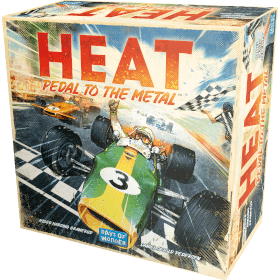 Based on simple and intuitive hand management, Heat: Pedal to the Metal puts players in the driver's seat of intense car races, jockeying for position to cross the finish line first, while managing their car's speed if they don't want to overheat. Selecting the right upgrades for their car will help them hug the curves and keep their engine cool enough to maintain top speeds. Ultimately, their driving skills will be the key to victory!
Drivers can compete in a single race or use the "Championship System" to play a whole season in one game night, customizing their car before each race to claim the top spot of the podium. They have to be careful as the weather, road conditions, and events will change every race to spice up their championship. Players can also enjoy a solo mode with the Legends Module or add automated drivers as additional opponents in multiplayer games.
Number of players: 1 - 9
Game duration: 40 mn
Complexity: 3 / 5
Play Heat: Pedal to the Metal and 1330 other games online.
No download necessary - play directly from your web browser.
With your friends and thousands of players from the whole world.
Free.



Play Heat: Pedal to the Metal and 1330 other games online.
No download necessary - play directly from your web browser.
With your friends and thousands of players from the whole world.
Free.
Rules summary
Overview
Pedal to the Metal is a game of hand management, deckbuilding, and "push your luck". Racing isn't just going as fast as you can. It's managing your speed, engine heat, and adrenaline. After a set number of laps, be the first to cross the finish line and win!
Each player has their own deck of cards, from which they draw a hand, and a player board. The player board indicates your car's current status, including your gear shift. Your gear shift indicates how many cards you can play that round.
The value of the cards played indicates your speed, which is how many spaces you can move along the race track. Playing high-value cards will make you go faster, but if you have too much speed or take a turn too fast, your engine will overheat, you'll spin out, and you'll lose a turn.
Setup
Every player's deck starts with 12 Basic Cards (3 x 1, 3 x 2, 3 x 3, 3 x 4, some Stress cards, and some Starting Upgrade cards. The number of Stress and Starting Upgrade cards depends on the track (3 each for the USA track). A supply of Heat cards is placed next to your player board (6 for the USA track). The gear shift starts at 1. Each player draws 7 cards to their hand to start.
Gameplay
Heat: Pedal to the Metal is played over several rounds. Some steps will be taken every turn, some are situational.
All players complete steps 1 and 2 simultaneously. Then the player with the frontmost car closest to the Race Line (inside of the track) completes their remaining steps and finishes their turn. Then the player with the next closest car goes, and so on until all players have completed their turn. Then the round ends. This sequence continues until all cars have finished the race.
| Step | Status |
|---|---|
| Shift Gears | |
| Play Cards | |
| Reveal Cards & Move Car | |
| Adrenaline | Situational |
| React | Situational |
| Slipstream | Situational |
| Check Corner | Situational |
| Discard | Situational |
| Replenish Hand |
Types of Cards
Basic

These cards represent your car's Speed during this round. When played, the values of all Basic cards are added together. That number represents how many spaces your car moves forward.
Stress

These cards represent lapses of concentration as you race around the track. All players start with three in their deck. Stress cards cannot be discarded. To get them out of your hand, they have to be played, which adds some randomness to your Speed.
Upgrade
Upgrade cards are indicated by a blue chevron symbol in the upper corners. Note that these cards are discarded when the  is activated, even if the card has a number.
The basic game includes 1 Heat card that works the same way, though it starts shuffled into the deck, a 0 value card and a 5 value card.
Heat
Heat cards are like a currency. They are how you pay for increasing your car's speed on straights and around corners. When you pay a Heat card, it moves from your supply to your discard pile and will be shuffled into your draw deck when it runs out. Heat cards cannot be discarded or played. Effectively, this reduces your speed effectiveness by filling your hand with unplayable cards.
The only way to get rid of Heat cards is Cooldown. This is done by playing certain cards or by shifting into lower gears.
If you have used up your Heat cards, you cannot do special actions like shifting gears two positions (see "Shift Gears" step) or use React effects like like Boost (see "React" step). If you exceed the Speed Limit around a corner (see "Check Corner" step), and cannot pay the required Heat, your car will Spin Out.
Terms
: When this symbol is activated (either through playing a card with it, like a Stress card, or through Boosting), you must draw and discard from your deck until you find a Basic card. Play it immediately and add its value to your Speed.
Cooldown: Remove # of Heat cards indicated on the symbol from your hand and put them back in your Engine to use later.
Boost: Pay one Heat card to add a to your played cards. You can only do this once per turn.
Spin Out: If a Spin Out occurs, the following happens:
- Your car is moved back to the first unoccupied space before the Corner Line that caused you to spin out.
- If you are in first or second gear, one extra Stress card is added to your hand. If you are in third or fourth, 2 Stress cards are added.
- Your gear is shifted to first.
Turn Steps
Shift Gears
You may shift your gear up one or down one from its current position. You may pay 1 Heat to shift it two positions.
Play Cards
Choose cards to play. Any card except a Heat card can be played. You must play as many cards as your current gear number (in first gear, you must play 1 card; in second gear, you must play 2 cards, and so on). Other players do not see these cards until your turn comes up.
If your hand does not have enough playable cards for the gear you're in (your car has "overheated"), then you must play those playable cards and Heat cards to meet the number.
Reveal Cards and Move Car
The cards you played are revealed and their values are added together to determine your Speed. This includes the values from Upgrade cards and Stress cards. Your car moves forward that many spaces on the track, placed on the spot closest to the Race Line (inside of the track).
You can pass through other cars, but you can't land on them. If your move would end in a space occupied by cars, then you are blocked and must put your car in the first unoccupied space behind those cars as close to the Race Line as possible.
If 2 cars are next to each other, the car closest to the Race Line is considered "ahead" for all purposes.
If you were required to play Heat cards because you did not have enough playable cards in your hand, your car does not move this turn and immediately shifts to first gear. Discard the played cards and skip straight to the "Replenish Hand" step.
Adrenaline
This step is only taken if you are the last player to take your turn (i.e., in last place).
You may add 1 to your Speed and move 1 extra space or Cooldown 1.
React
This step is only taken if you have access to symbols from your selected gear or played cards. (Boost, Cooldown, Heat, etc.) 
Resolve the effects of these symbols in any order you want, individually.
Slipstream
This step is only taken when you are next to or behind another car at this point.
You may move 2 spaces forward. This can only be done once per turn (you can't leapfrog between cars). If this step ends with your car in an occupied space, place your car in the first unoccupied space behind the car(s). This movement is not added to your Speed value. But if you slipstream past a Corner Line, your current Speed is still used to calculate Heat payment.
You cannot slipstream across the finish line (after completing the required number of laps) or slipstream after passing the finish line.
Check Corner
This step is only taken if you have passed a Corner Line at this point.
If your total Speed is greater than the Speed Limit of that corner, then you must pay Heat equal to the difference. For example, if your Speed is 7 and the Speed Limit is 5, you must pay 2 Heat. If you passed more than one Corner Line during your turn, you must resolve each corner separately, starting with the first corner.
If you have crossed the finish line, this step is ignored.
Discard
This step is optional.
If you do not want to save cards for future rounds, you may discard them. You cannot browse through your discard pile. Only the top card is public knowledge. You cannot discard Stress or Heat cards.
Replenish Hand
The cards you played are discarded. Cards are drawn into your hand until you reach seven (or the hand limit specified by an Event card). This ends your turn.
Winning
When the round ends, the first player to cross the finish line after completing the number of laps indicated is the winner. If two or more cars finish in the same round, the winner is the player whose car ends furthest ahead. If the cars are still next to each other, the car closest to the Race Line wins.
At the end of the round, all cars that crossed the finish line are removed from the track and placed on the Hall of Fame space. The remaining players continue until all cars have finished. Adrenaline bonuses are applied based on the number of cars that started the race, not remaining on the board.
Variants
Mode
- First Game: Track is USA, 1 lap. Only Basic Upgrades are used.
- Beginner: Allows the user to choose some modules and expansions like Heavy Rain and Tunnel Vision.
- Standard: Like Beginner, but adds the options for Pro Legends, Garage Module, upgrades, upgrade draft style, and weather.
- Champion: Like Standard, but adds Championship races.
- You play a group of races, each with its own event. Each event has unique rules.
- You get one new garage upgrade per race. After you've chosen upgrades, you will find out the weather or track condition.
- You can get single-use upgrades during the race in the form of sponsorship cards. Once used, they are removed from the game (but you can discard them to put them back in your deck).
- Sponsorship cards are received for "Pressing a Corner". This means either crossing a Corner Line with a Speed of two or more than the Speed Limit (after road condition markers are taken into account) or slipstreaming across the Corner Line. You do not receive a sponsorship card if you Spin Out. You can only receive one Sponsorship card per corner each lap.
Legends
Legends are automated drivers (i.e., bots) you can compete against in solo mode or as additional opponents in multiplayer games. They are controlled by a single deck of Legends cards. If a Legend is close to a corner, it will try to clear it, but will sometimes fail. If it is far from a corner, it will move as fast as possible without overshooting. Legends do not use Heat.
Aggressive Legends allows Legend drivers to clear two corners in the same round. If a Legend starts its turn on a space with a chevron above the diamond on the track, it can cross one extra corner line this round. (Note: There are no chevrons on the US, France, or Italy tracks.) If there is a double chevron, the legend can even cross three corners.
Garage Module
Each player builds their own customized car with 3 Garage Module Upgrade cards (different than the Starting Upgrade cards, which are not used). Upgrade cards are divided into Basic and Advanced.
| Name | Description |
|---|---|
| Heat | Same as the basic game, but if you play an Upgrade card and you cannot pay its Heat cost, it becomes a Stress card and is played accordingly. |
| Scrap | Take X cards from the top of your deck and put them into your discard pile. |
| Adjust Speed Limit | If you cross a corner this turn, your Speed Limit is modified by X for you. A "+" means you can move faster. A "-" means you must move more slowly. |
| Name | Description |
|---|---|
| Slipstream Boost | If you choose to Slipstream, you may add X to the typical 2 spaces you would move. |
| Reduce Stress | You may immediately discard up to X Stress cards from your hand to the discard pile. |
| Refresh | You may place this card on top of your deck at the end of the "React" step. |
| Salvage | You may look through your discard pile. Choose up to X cards. Those cards are shuffled into your deck. |
| Direct Play | You may play this card from your hand at any time during your turn. If you do, it applies as if you played it normally, including Speed and mandatory/optional icons. |
| Accelerate | You may increase your Speed by 1 for every card you flipped this turn (from Upgrades, Stress, and Boost). If you do, you must increase it for all the flipped cards. |
Weather and Road Conditions
Weather and Road Conditions modify the track to have specific permanent effects on corners and sectors. These are prepared before upgrades are drafted, so you can customize your car to handle the specific race. These symbols are taken into account during the "React" step.
| Name | Description |
|---|---|
| Adjust Speed Limit | Speed limit is 1 higher or 1 lower. |
| Overheat | If your Speed is higher than the Speed Limit when you cross this corner, the cost in Heat that you need to pay is increased by one. |
| Name | Description |
|---|---|
| Slipstream Boost | If you choose to Slipstream, you may add X to the typical 2 spaces you would move. Your car must be within this sector before you can slipstream. |
| Heat Control | If you Boost in this sector, do not pay any Heat. You can still only do one Boost per turn. Your car must be within this sector to use this effect. |
| Weather | Weather effect applies to this sector. |
| Name | Description |
|---|---|
| Slipstream Boost | If you choose to Slipstream, you may add X to the typical 2 spaces you would move. Your car must be within this sector before you can slipstream. |
| No slipstream | You cannot start slipstreaming from this sector, but you may slipstream into it. |
| Cooling Bonus | When using Cooldown in this sector during "React", add 1 to the number. |
| No Cooling | No Cooldown allowed in this sector during the "React" step. |
Tunnel Vision
This expansion includes new race tracks, tunnels, chicanes, and Aggressive Legends. It also introduces a new mechanic: "Draft". Move your car forward on the race track up to X spaces. All spaces you move into or through from Drafting must be free of other cars. The final landing space must have at least one car in either lane of the space in front of it. This extra movement does not count as speed. If you have access to several Draft symbols in the same round, you can use them separately or add their values and use them in a single Drafting action. Drafting is not slipstreaming--it can be used to cross the finish line or after the finish line at the end of a race.
Heavy Rain
This expansion includes new race tracks, flooded roads, chicanes, and Aggressive Legends. Some cards have a purple "Super Cool" symbol. This means you may look through your discard pile and remove up to X Heat cards from it. Return these cards to your Engine spot. If there are no Heat cards in your discard pile, you do nothing, but you still get to see which cards are there.
Features on Expansion Maps
Chicanes: Featured in the "Tunnel Vision" expansion, chicanes are a feature composed of 2 consecutive Corner Lines with the same Speed Limit with one or more spaces between them. They are denoted by blue curbs on both sides of the track. If you play with the weather and road conditions module, the sector symbol modifies the sector after the chicane's second Corner Line. Otherwise, it modifies both corner lines. In Championship Mode, the Press Corner can be one of the Chicane Corner Lines. In this case, it will always be placed on the last Corner Line (when exiting the Chicane) as indicated on the Track Card.
Flooded Spaces: Featured in the "Heavy Rain" expansion, flooded spaces represent water flowing onto the track. If you start the round on a flooded space, shifting down a gear in the "Shift Gears" step costs 1 extra Heat. This means that to shift down two gears costs 2 Heat. This Heat must be paid when you shift, before any card effects.
Tunnels: Featured in the "Tunnel Vision" expansion, some parts of the track pass through tunnels. If your car is on a tunnel space, you cannot discard any cards from your hand. This rule supersedes any effect that would allow you to discard (Event, Upgrade, Road Condition, etc.). Scrapping and Cooldown do not count as discarding and can be done within tunnels.